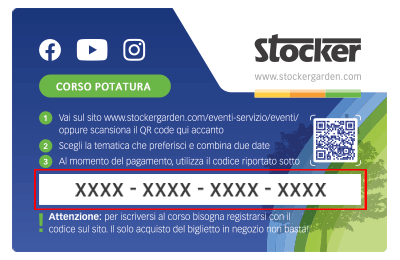
 Le Content Card sono i biglietti dei corsi che puoi trovare e acquistare direttamente nei negozi e nelle rivendite agrarie. Ciascuna Card ha un codice da riportare nel riquadro sottostante per confermare la tua iscrizone al corso, dopo averlo già acquistato in negozio.
How to connect the Geyser Pro via Hotspot?
If you don’t have a home Wi-Fi network available, you can still connect your Geyser Pro using a smartphone hotspot. Here’s how to do it step by step:
Step 1 – Use the hotspot on the first device
Turn on mobile data on the device and activate “Hotspot” mode.
Step 2 – Activate Wi-Fi mode on the Geyser
Press and hold the side Wake-Up button until LED 1 turns solid white and LEDs 2–3–4 🔵🔵🔵⚪ start blinking in a blue sequence.
The Geyser is now in “search” mode and ready to receive network settings.
Step 3 – Connect your device to the Geyser
From your smartphone or tablet (second device), open the list of available Wi-Fi networks and connect to the network generated by the Geyser (Stocker ? Geyser).
Once connected, the browser will open automatically. If not, manually access the network settings.
Step 4 – Set the hotspot as the Geyser’s Wi-Fi network
Within the setup page, select your hotspot’s network (which must be active on the first device).
Enter the hotspot password and confirm.
If the connection is successful, LED 1 will turn solid blue 🔵.
Signal strength will be indicated by LEDs 2 to 4:
⚪⚪⚪🔵 weak signal
⚪⚪🔵🔵 good signal
⚪🔵🔵🔵 optimal signal
🔵🔵🔵🔵 perfect signal
❗ Important: Make sure the hotspot remains active and close to the device, otherwise the Geyser can no longer be controlled remotely.
🎥 Watch the video:

Mit dem Laden des Videos akzeptieren Sie die Datenschutzerklärung von Vimeo.
Mehr erfahren