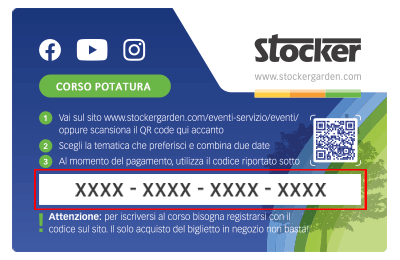
 Le Content Card sono i biglietti dei corsi che puoi trovare e acquistare direttamente nei negozi e nelle rivendite agrarie. Ciascuna Card ha un codice da riportare nel riquadro sottostante per confermare la tua iscrizone al corso, dopo averlo già acquistato in negozio.
How do I connect the Geyser Pro to Wi-Fi?
The Geyser Pro is equipped with a built-in Wi-Fi module for remote management via web interface. The Wi-Fi connection must be made during the initial setup or later if the network is changed.
Step 1 – Activating Wi-Fi Mode
Press and hold the Wake-Up side button until LED 1 turns solid white and LEDs 2–3–4 🔵🔵🔵⚪ start flashing blue in sequence: the device is now in Wi-Fi search mode (access point active).
Step 2 – Connecting to the Geyser
On your smartphone, tablet, or PC, open the list of available Wi-Fi networks.
Select the network generated by the Geyser (Stocker ? Geyser).
Once connected, the browser should open automatically and display the configuration page. If not, go to the network settings of the Geyser-generated Wi-Fi and access it manually.
Step 3 – Configuring the Home Network
On the configuration page:
-
Select your home Wi-Fi network from the list.
-
Enter the password and confirm.
-
If successful, LED 1 turns solid blue 🔵.
Signal strength is shown by the other LEDs:
⚪⚪⚪🔵 weak
⚪⚪🔵🔵 good
⚪🔵🔵🔵 very good
🔵🔵🔵🔵 excellent
Step 4 – Accessing the Web Interface
Scan the QR code inside the front cover of the Geyser.
Register a new user and follow the steps in the application.
Additional tips:
-
If the connection fails, LED 2 will flash red 🔴
-
If the Wi-Fi signal is unstable, consider using a Wi-Fi repeater near the Geyser.
Warning: If a solid green LED 🟢 appears, it means the Geyser is not entering Wi-Fi search mode. To fix the issue, follow these steps:
1. Wait 2 minutes; this should reset the device.
2. If the LED does not reset, turn off the Geyser, wait one minute, turn it back on, and then activate Wi-Fi search by holding the Wake-Up side button until LED 1 turns solid white and LEDs 2–3–4 🔵🔵🔵⚪ begin blinking blue in sequence.
Attention: If a solid green LED 🟢 appears, it means the Geyser is not searching for a Wi-Fi network. To resolve the issue, follow these steps:
-
Wait 2 minutes; the device should restart on its own.
-
If the LED does not reset, turn off the Geyser, wait one minute, turn it back on, and activate Wi-Fi search by pressing and holding the side Wake-Up button until LED 1 turns solid white and LEDs 2–3–4 🔵🔵🔵⚪ start blinking blue sequentially.
VIDEO GUIDE: Connecting Geyser to Wi-Fi – Watch now for an easy and quick setup of your home network!

Mit dem Laden des Videos akzeptieren Sie die Datenschutzerklärung von Vimeo.
Mehr erfahren