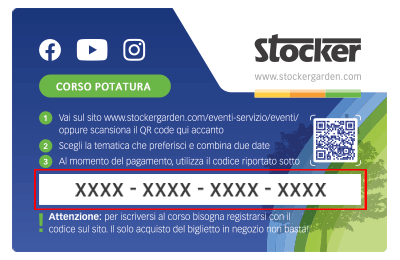
 Le Content Card sono i biglietti dei corsi che puoi trovare e acquistare direttamente nei negozi e nelle rivendite agrarie. Ciascuna Card ha un codice da riportare nel riquadro sottostante per confermare la tua iscrizone al corso, dopo averlo già acquistato in negozio.
What does the ‘Dispensing Timeout’ error indicate?
The ‘Dispensing Timeout’ error occurs when water remains inside the mixing tank. This may happen if the Geyser was unable to fully discharge its contents or if some nozzles are clogged. The error is signaled by an error beep, LED 1 solid red and LED 3 solid red ⚪🔴⚪🔴, and a notification in the WebApp.

Possible causes:
1. The number of nozzles set in the “My Geyser” section is significantly higher than the number actually installed in the system.
2. A significant number of nozzles are clogged or not dispensing properly.
3. The outlet valve is faulty or blocked.
4. The main pump is faulty or clogged.
We recommend:
1. Adjust the number of nozzles in the “My Geyser” section to match the actual installed number.
2. Check the condition of the installed nozzles and clean or replace any that are clogged or defective.
3. If the problem persists, contact the dealer where you purchased the Geyser.
VIDEO GUIDE: Learn how to fix the ‘Dispensing Timeout’ error – Watch the video now!

Mit dem Laden des Videos akzeptieren Sie die Datenschutzerklärung von Vimeo.
Mehr erfahren