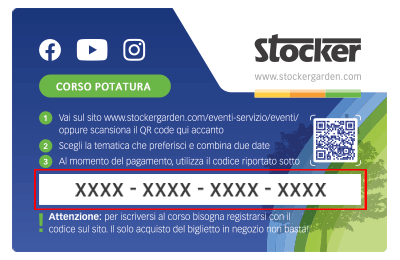
 Le Content Card sono i biglietti dei corsi che puoi trovare e acquistare direttamente nei negozi e nelle rivendite agrarie. Ciascuna Card ha un codice da riportare nel riquadro sottostante per confermare la tua iscrizone al corso, dopo averlo già acquistato in negozio.
What does the green LED mean?
If the green LED stays on 🟢, it means that the Geyser is starting up.
To fix it, follow these steps:
1. Wait 3 minutes: the device may reset automatically.
2. If the LED remains on, turn off the Geyser, wait 1 minute, then turn it back on.
3. Once it is turned back on, wait for the green LED to turn off completely. Then, other LEDs will show the status of the Geyser and information about its operation.
4. Now you can control the Geyser using the Wake Up button. Once it’s back on, press and hold the side Wake-Up button until: LED 1 turns solid white and LEDs 2–3–4 start blinking blue 🔵🔵🔵⚪
At this point, the Geyser will correctly enter Wi-Fi search mode.
Watch the step-by-step video to learn how to connect your Geyser to the Wi-Fi network and how to reset the green LED.

Mit dem Laden des Videos akzeptieren Sie die Datenschutzerklärung von Vimeo.
Mehr erfahren