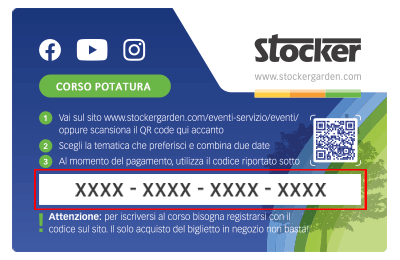
 Le Content Card sono i biglietti dei corsi che puoi trovare e acquistare direttamente nei negozi e nelle rivendite agrarie. Ciascuna Card ha un codice da riportare nel riquadro sottostante per confermare la tua iscrizone al corso, dopo averlo già acquistato in negozio.
How can I check the battery charge level?
On the WebApp, on the home screen, the third icon from the left at the top shows the battery charge level. If the device is powered by a 220 V power adapter, the icon corresponding to the electrical connection will appear.
Additionally, thanks to the LED indicator located on the side panel of the device, you can monitor the battery charge levels, displayed through green LEDs. If the Geyser Pro is battery-powered, the following indicators will activate:
⚪⚪🔴🟢 Green LED 1 and red LED 2: battery below 25%, it is recommended to charge the Stocker battery or replace it as soon as possible with a charged one.
⚪⚪🟢🟢 Green LED 1 and LED 2: battery level between 25-50%.
⚪🟢🟢🟢 Green LED 1, LED 2 and LED 3: battery level between 50-75%.
🟢🟢🟢🟢 Green LED 1, LED 2, LED 3 and LED 4: battery level above 75%.
If the Geyser Pro is connected to a Stocker power adapter (item 327), all 4 green LEDs will be on, indicating the device is properly powered.