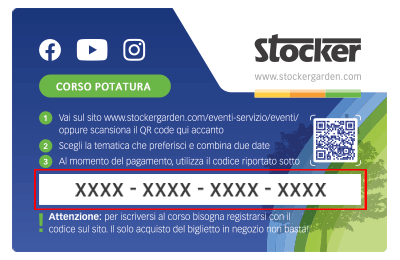
 Le Content Card sono i biglietti dei corsi che puoi trovare e acquistare direttamente nei negozi e nelle rivendite agrarie. Ciascuna Card ha un codice da riportare nel riquadro sottostante per confermare la tua iscrizone al corso, dopo averlo già acquistato in negozio.
Was sind die ersten Schritte in der WebApp?
Once you scan the QR code inside your Geyser Pro or access it via the provided link, follow these steps to complete the setup correctly:
1. Create a new account
To use the Geyser, you must register a new account.
Note: Only one email address can be associated with each Geyser device. Make sure to use a dedicated email or one that matches the intended use of the device.
2. Connect the Geyser to your trusted retailer
During the initial setup, you’ll be asked to select your trusted retailer. This is essential for receiving technical support.
3. Enter the number of nozzles and tubing length
Go to the “Other” section, then click on “My Geyser”.
There, you must enter:
-
The total number of nozzles installed
-
The total meters of tubing used in your system
These values are critical for the correct operation of the device.
4. Set up the liquid tanks
Go to the “Tanks” section.
-
If you purchased Geyser Pro, you’ll have 2 tanks
-
If you purchased Geyser Pro Lite, you’ll have 1 tank
For each tank, enter:
-
The name of the liquid you plan to use
-
The dilution percentage (as indicated on the product label)
-
The type of liquid (repellent, insecticide, etc.)
5. Create your misting strategy: go to the “Strategies” section and create a new plan. You’ll need to fill in:
-
Name of the strategy
-
Activation time
-
Misting duration
-
Days of the week it should run
-
Which tank to use (Tank 1 or 2)
Now you’re all set! After completing these steps, your Geyser Pro will be ready to use. Remember: you can modify strategies, liquids, or settings at any time directly from the WebApp.
Watch the full video to see, step by step, how to properly set up your Geyser Pro from activation to misting strategy creation.